Practice dashboard walkthrough1:05

← All dashboards

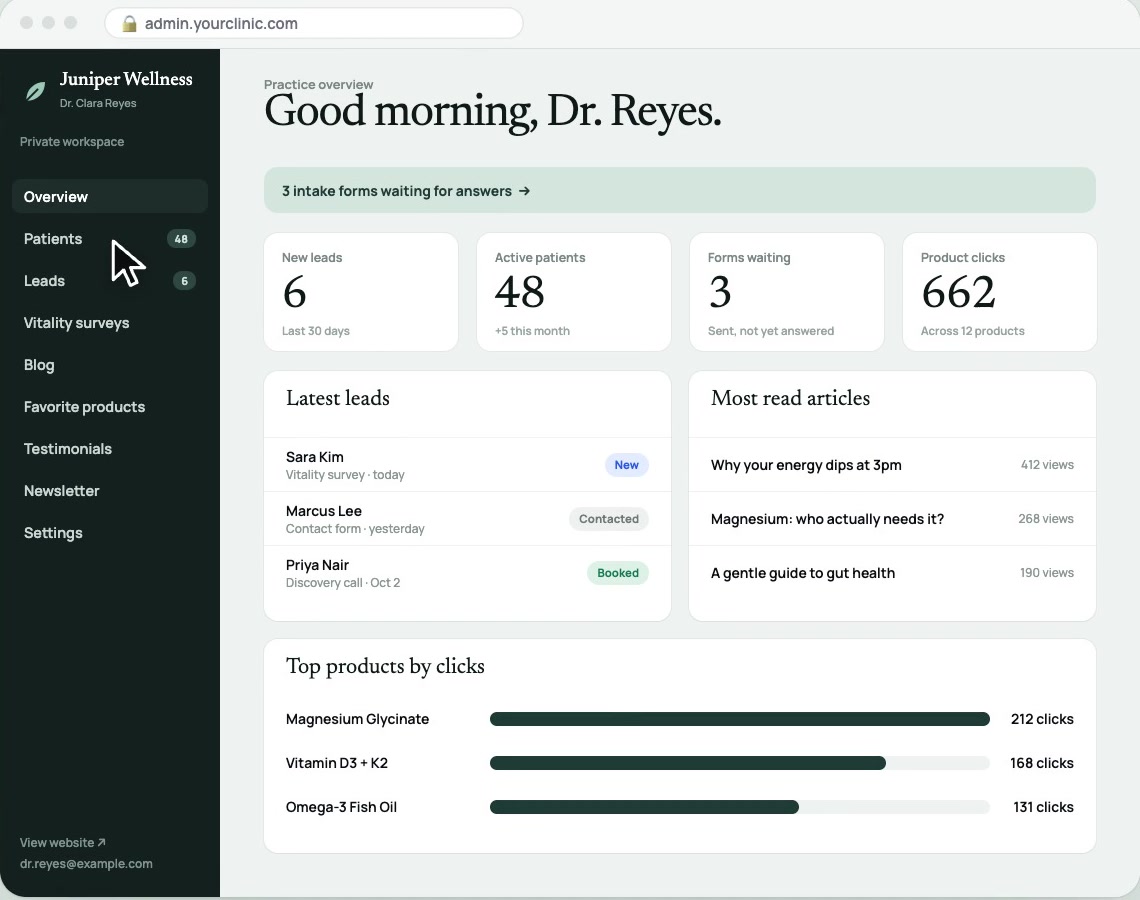
Overview

Juniper Wellness overview view from the dashboard demo. Fictional practice, client names, and sample data.
Demo screenshot · Fictional practice and sample data

See your practice clearly.

New leads, active clients, waiting forms, and product activity in one view.

  • Review practice activity
  • Spot what needs attention

Stop opening five tabs to find your next task.
Clients

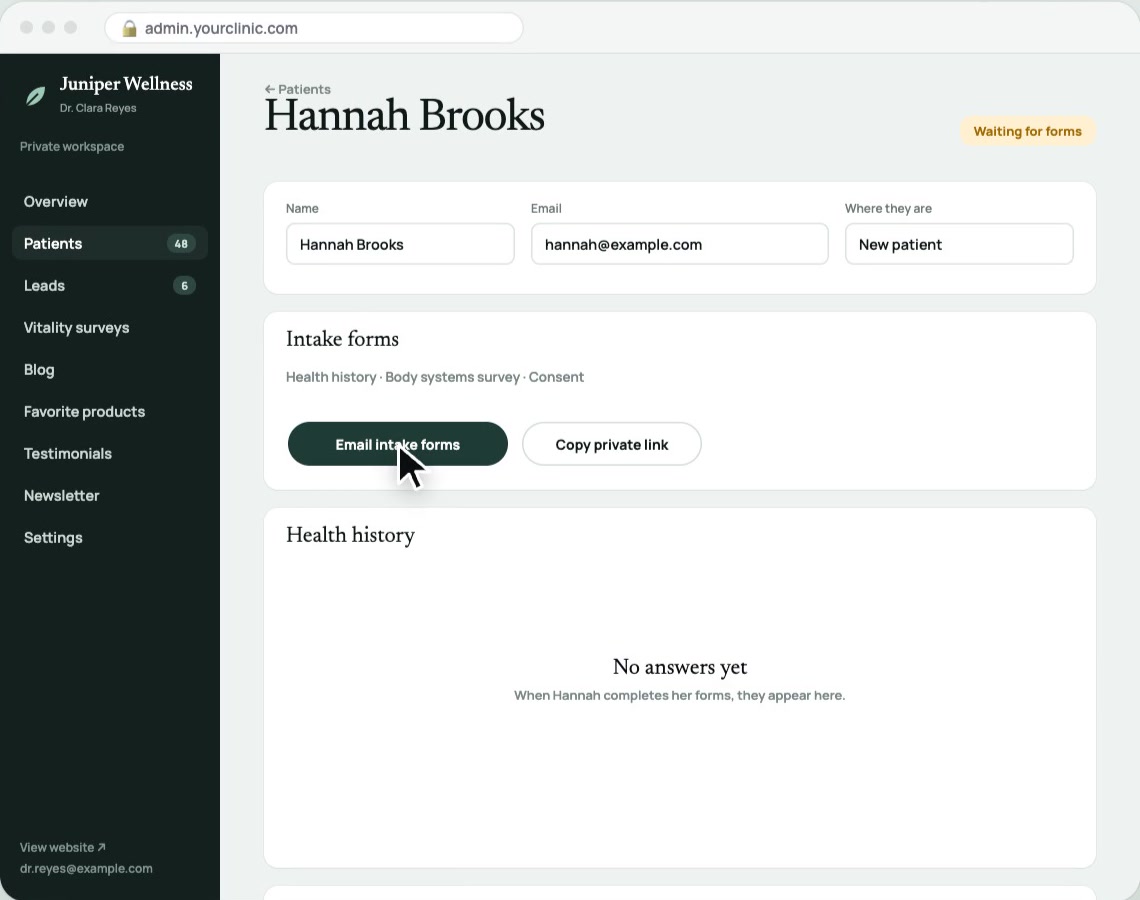
Juniper Wellness clients view from the dashboard demo. Fictional practice, client names, and sample data.
Demo screenshot · Fictional practice and sample data

Every client.
A clear next step.

Keep client contact details, intake status, and form links together on one profile.

  • Keep contact details together
  • Know who is waiting for forms

Spend less time hunting through email threads.
Intake forms

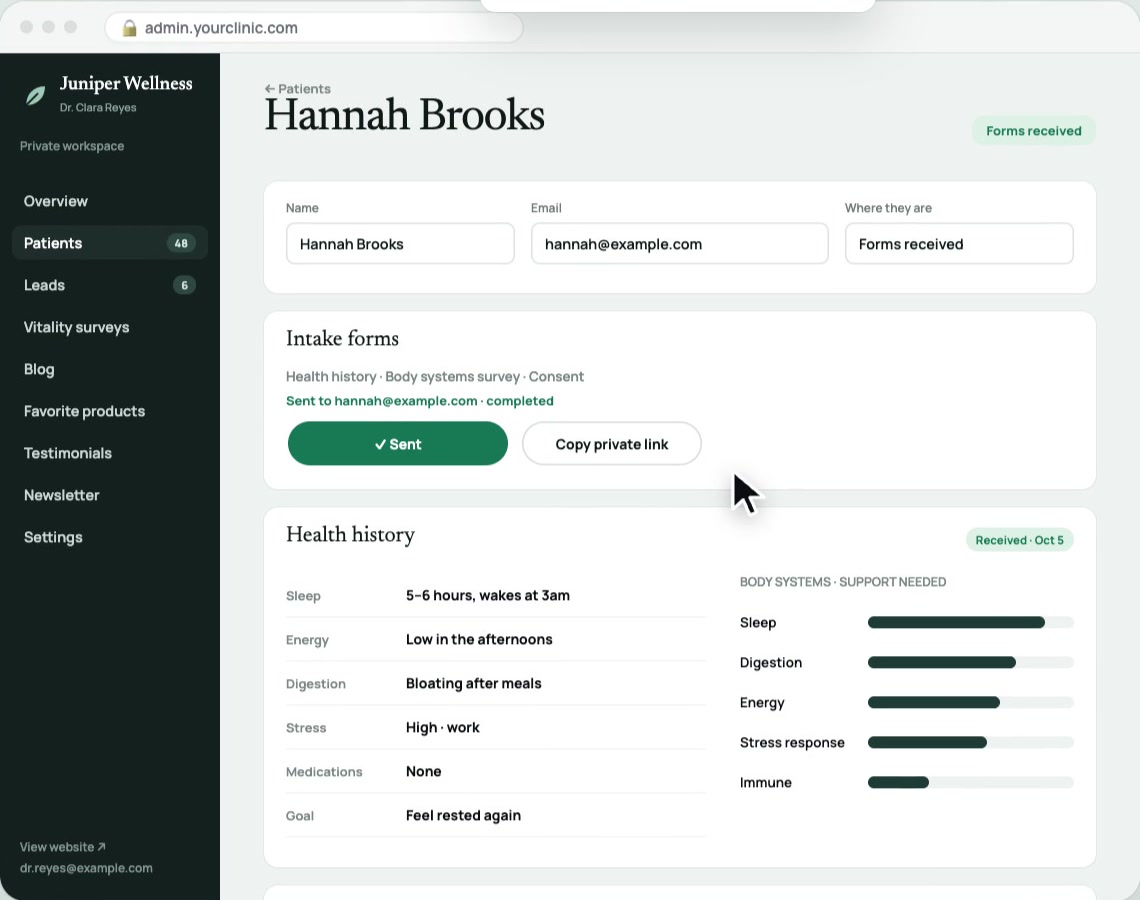
Fictional Juniper Wellness patient profile with completed intake forms and survey responses
Demo screenshot · Fictional practice and sample data

Send forms once.
Keep answers together.

Email intake forms from the client profile, then review completed answers in the same place.

  • Send forms by email
  • Review answers on the profile

Stop moving intake responses between your inbox and client records.
Follow-ups

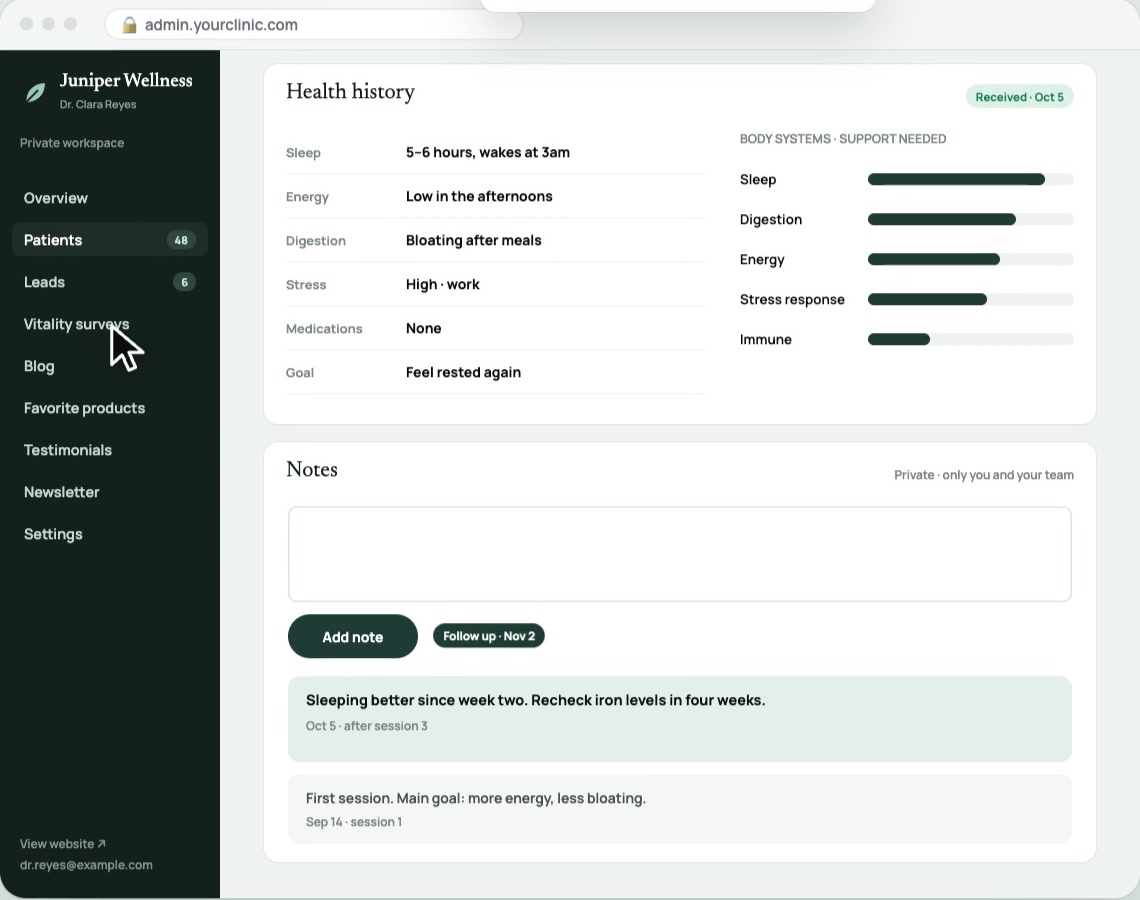
Juniper Wellness followups view from the dashboard demo. Fictional practice, client names, and sample data.
Demo screenshot · Fictional practice and sample data

Follow up.
Without losing track.

Keep private session notes and follow-up reminders beside the client’s history.

  • Record private session notes
  • Keep next steps in view

Keep outstanding admin from slipping between visits.
Products

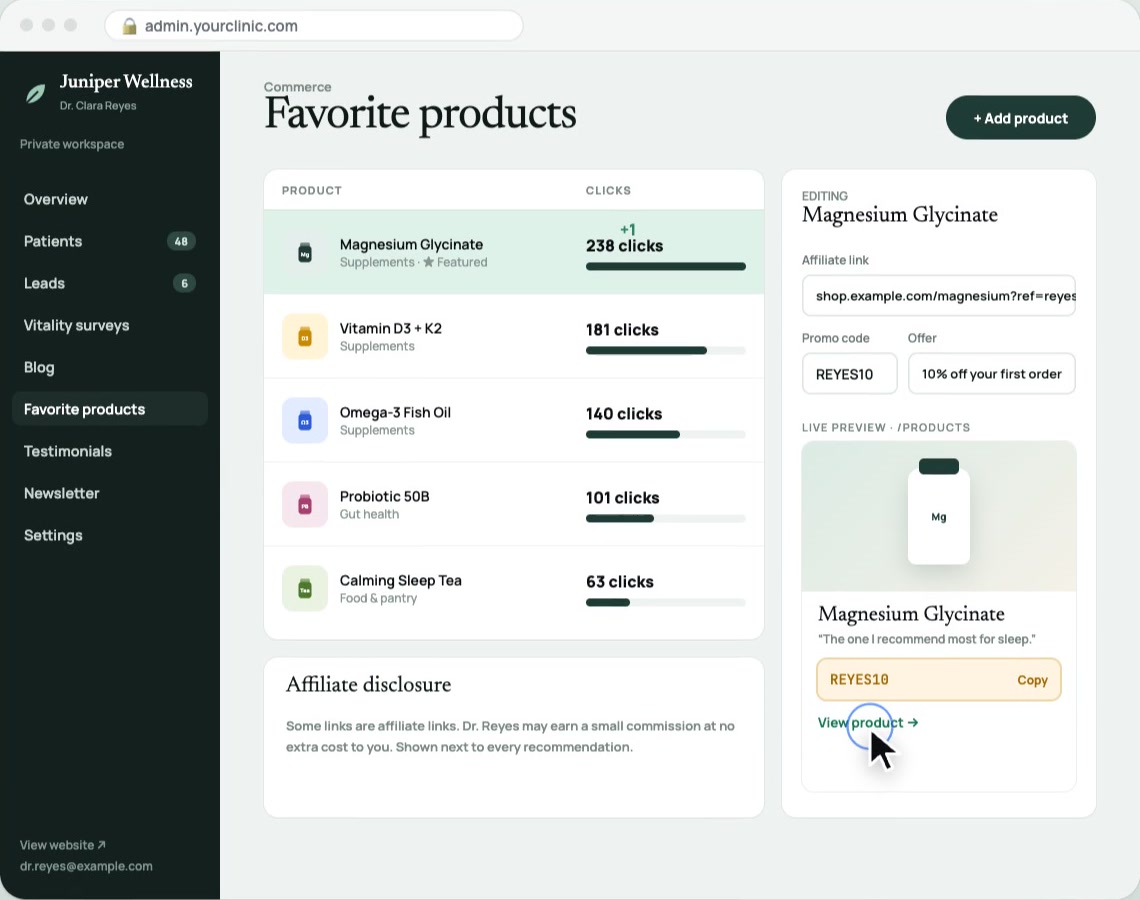
Juniper Wellness products view from the dashboard demo. Fictional practice, client names, and sample data.
Demo screenshot · Fictional practice and sample data

Your recommendations.
One organized library.

Manage trusted products, affiliate links, promo codes, and click activity in one place.

  • Keep recommendations current
  • See which links get clicked

Update your product library without chasing scattered links.
Blog

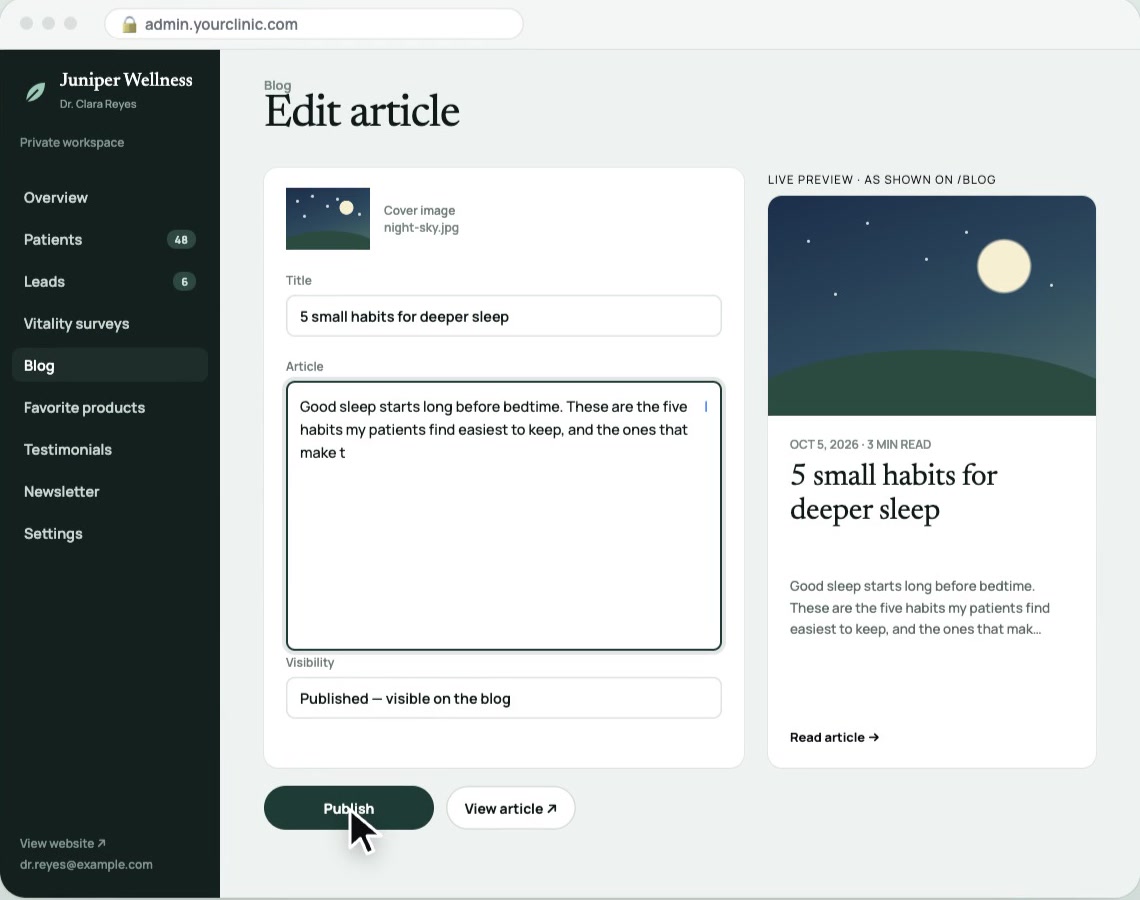
Juniper Wellness blog view from the dashboard demo. Fictional practice, client names, and sample data.
Demo screenshot · Fictional practice and sample data

Your expertise.
A place to publish.

Write practice articles and see a live preview beside your editor.

  • Organize drafts and published posts
  • Preview content before publishing

Keep your website useful without editing code for every update.
Newsletter

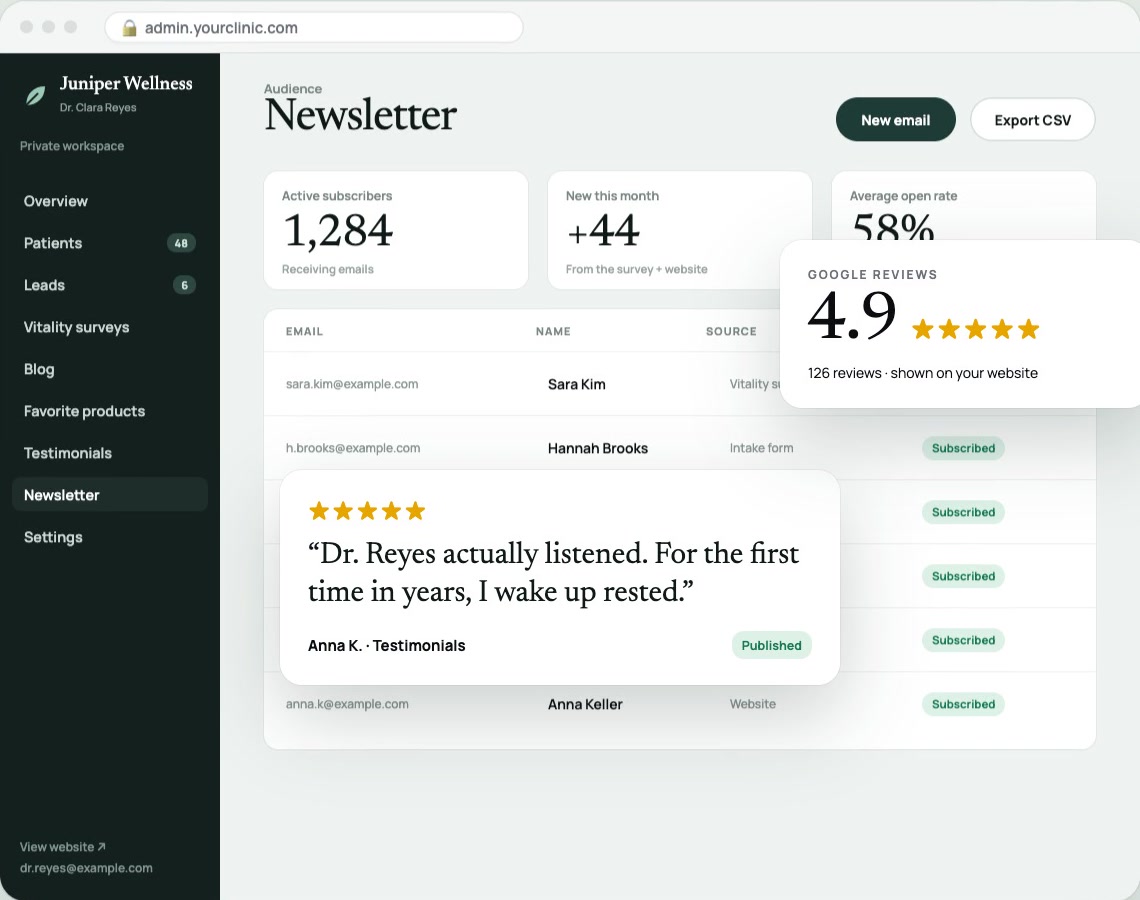
Juniper Wellness newsletter view from the dashboard demo. Fictional practice, client names, and sample data.
Demo screenshot · Fictional practice and sample data

Care continues
between visits.

Manage practice updates and your subscriber list from the same workspace.

  • Prepare newsletter updates
  • Review messages before sending

Stay in touch without rebuilding your audience list.

Made for your workflow. Configured for your team.Watch Demo ▷

Built around your real day

Start with the work
that slows you down.

We’ll choose the features, access, and integrations that fit your workflow.

Book a call ↗Explore the other dashboards